

need help for editing font colour in highlightCode
highlight.keyword, highlight.default, highlight.string, highlight.commentДобавлено: 04.06.2017 / 02:21
image just example

highlight.keyword, highlight.default, highlight.string, highlight.comment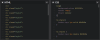

ini_set("highlight.comment", "#008000");
ini_set("highlight.default", "#000000");
ini_set("highlight.html", "#808080");
ini_set("highlight.keyword", "#0000BB; font-weight: bold");
ini_set("highlight.string", "#DD0000");
function highlightText($text, $fileExt="")
{
if ($fileExt == "php")
{
ini_set("highlight.comment", "#008000");
ini_set("highlight.default", "#000000");
ini_set("highlight.html", "#808080");
ini_set("highlight.keyword", "#0000BB; font-weight: bold");
ini_set("highlight.string", "#DD0000");
}
else if ($fileExt == "html")
{
ini_set("highlight.comment", "green");
ini_set("highlight.default", "#CC0000");
ini_set("highlight.html", "#000000");
ini_set("highlight.keyword", "black; font-weight: bold");
ini_set("highlight.string", "#0000FF");
}
// ...
$text = trim($text);
$text = highlight_string("<?php " . $text, true); // highlight_string() requires opening PHP tag or otherwise it will not colorize the text
$text = trim($text);
$text = preg_replace("|^\\<code\\>\\<span style\\=\"color\\: #[a-fA-F0-9]{0,6}\"\\>|", "", $text, 1); // remove prefix
$text = preg_replace("|\\</code\\>\$|", "", $text, 1); // remove suffix 1
$text = trim($text); // remove line breaks
$text = preg_replace("|\\</span\\>\$|", "", $text, 1); // remove suffix 2
$text = trim($text); // remove line breaks
$text = preg_replace("|^(\\<span style\\=\"color\\: #[a-fA-F0-9]{0,6}\"\\>)(<\\?php )(.*?)(\\</span\\>)|", "\$1\$3\$4", $text); // remove custom added "<?php "
return $text;
}if (null === $this->geshi) {
$this->geshi = new \GeSHi;
$this->geshi->enable_line_numbers(GESHI_FANCY_LINE_NUMBERS, 2);
$this->geshi->set_line_style('background: rgba(252, 252, 252, 0.7)', 'background: rgba(255, 255, 255, 0.6);', false);
$this->geshi->set_code_style('white-space: pre-wrap');
}
$this->geshi->set_language($parser);
$php = strtr($code[2], ['<br />' => '']);
$php = html_entity_decode(trim($php), ENT_QUOTES, 'UTF-8');
$this->geshi->set_source($php);
jimy, Or maybe so?
File /system/johncms/Bbcode.php
$this->geshi = new \GeSHi;
$this->geshi->enable_classes(); // This not inline style(enable classes css)/* Geshi Dark */
.phpcode {
background-color: #1f1916;
border: 1px dotted #f6f6f6;
margin-top: 4px;
padding: 0px 2px;
}
.php .de1, .php .de2 {
font: normal normal 1em/1.2em monospace;
margin: 0;
padding: 0;
background: none;
vertical-align: top;
}
.php {
font-family: monospace;
}
.php .imp {
font-weight: bold;
color: red;
}
.php li, .php .li1 {
font-weight: normal;
vertical-align: top;
}
.php .ln {
width: 1px;
text-align: right;
margin: 0;
padding: 0 2px;
vertical-align: top;
}
.php .li2 {
font-weight: bold;
vertical-align: top;
}
.php .kw1 {
color: #2525F6;
}
.php .kw2 {
color: #ffffff;
font-weight: bold;
}
.php .kw3 {
color: #66ffff;
}
.php .kw4 {
color: #ff66ff;
font-weight: bold;
}
.php .co1 {
color: #999999;
font-style: italic;
}
.php .co2 {
color: #999999;
font-style: italic;
}
.php .co3 {
color: #ffff33;
font-style: italic;
}
.php .co4 {
color: #ff66cc;
font-style: italic;
}
.php .coMULTI {
color: #999999;
font-style: italic;
}
.php .es0 {
color: #ffff66;
font-weight: bold;
}
.php .es1 {
color: #ffff66;
font-weight: bold;
}
.php .es2 {
color: #99ff66;
font-weight: bold;
}
.php .es3 {
color: #99ff66;
font-weight: bold;
}
.php .es4 {
color: #ff9966;
font-weight: bold;
}
.php .es5 {
color: #ff9966;
font-weight: bold;
font-style: italic;
}
.php .es6 {
color: #ff66cc;
font-weight: bold;
}
.php .es_h {
color: #ffff66;
font-weight: bold;
}
.php .br0 {
color: #ff66ff;
}
.php .sy0 {
color: #339933;
}
.php .sy1 {
color: #ffffff;
font-weight: bold;
}
.php .st0 {
color: #ffff00;
}
.php .st_h {
color: #F37B06;
}
.php .nu0 {
color: #339933;
}
.php .nu8 {
color: #df7f7f;
}
.php .nu12 {
color: #df7f7f;
}
.php .nu19 {
color: #7fff7f;
}
.php .me1 {
color: #BFF6FF;
}
.php .me2 {
color: #ffbfff;
}
.php .re0 {
color: #7791FF;
}
.php .ln-xtra, .php li.ln-xtra, .php div.ln-xtra {
background-color: #f0f0f3;
}
.php span.xtra {
display: block;
}
maybe on the file php.php, sql.php ext
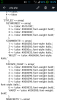
thx kantry and Gabriel
kantry - it is safe enabling $this->geshi->enable_classes(); ?
Gabriel - then I must editing php.php css.php etc. too?
yes, because any program not some,, keyboard and another key not some
jimy, Yes! This is the standard library method.
e. g this html code <span style="color:red">php, css, etc string</span> will be replaced by <span class="red">php, css, etc string</span>
link to url default style.geshi.css /system/vendor/geshi/geshi/contrib/cssgen2.php
oke om aan 
# kantry (04.06.2017 / 19:23)do know any reference for complete geshi style?
jimy, Yes! This is the standard library method.
e. g this html code <span style="color:red">php, css, etc string</span> will be replaced by <span class="red">php, css, etc string</span>
link to url